
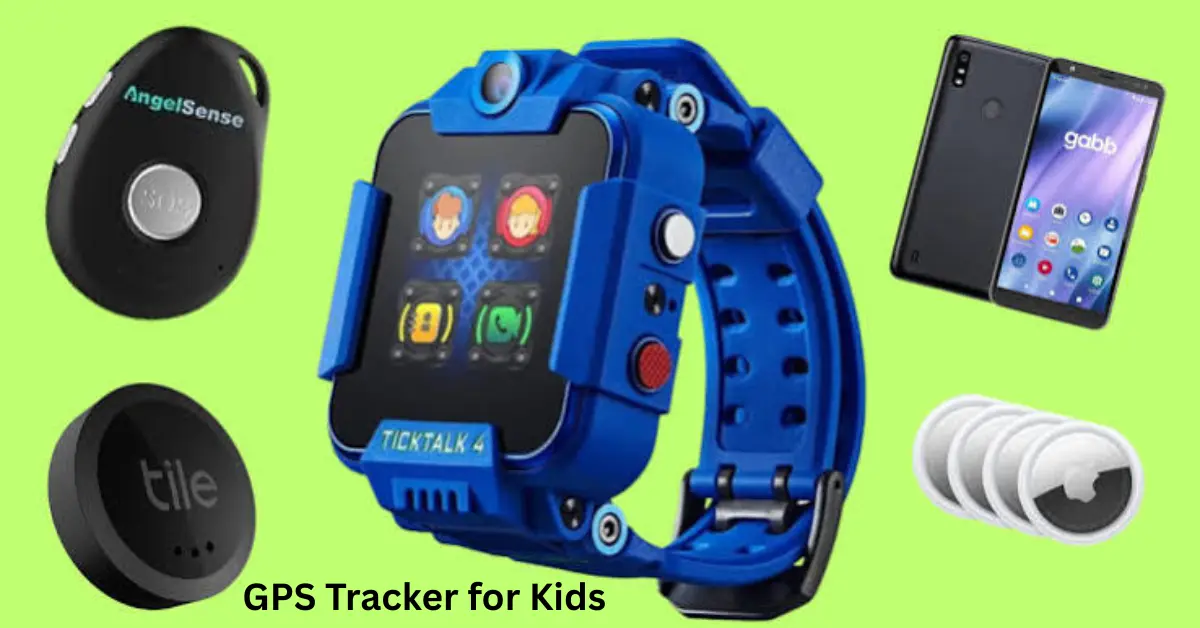
GPS tracker for kids can help parents check where their child is when he or she is away from home. It can be useful when a child travels to school, goes to tuition, plays outside, visits friends, or starts travelling independently.
A modern child tracker may do much more than show a location on a map. Depending on the device, it may provide real-time tracking, safe-zone alerts, an SOS button, two-way calling, location history, and other safety features.
However, parents should understand what these devices can and cannot do. A GPS tracker is a useful safety tool, but it cannot replace communication, responsible supervision, and a clear family safety plan.
This guide explains how kids’ GPS trackers work, which features matter most, their advantages and limitations, and what parents in India should consider before choosing one.
What Is a GPS Tracker for Kids?
A GPS tracker for kids is a small electronic device that helps an authorised parent or guardian check the location of the device carried or worn by a child.
It may come as a smartwatch, wearable band, small portable tracker, or a location feature built into a smartphone.
The parent normally uses a mobile app to see the tracker on a map. If the child moves from one location to another, the tracker can send updated location information to the app.
Some models also allow the child to contact a parent during an emergency.
How Does a GPS Tracker for Kids Work?
A kids’ GPS tracker uses location technology to estimate where the device is and then sends that information to the parent’s phone.
GPS uses satellite signals to determine location. Many modern trackers also combine GPS with Wi-Fi and cellular network information because GPS signals can become weaker indoors or around large buildings.
The process generally works like this:
- The child carries or wears the tracker.
- The device determines its location.
- It uses a cellular or internet connection to send location data.
- The parent opens the companion app.
- The current or recently reported position appears on a map.
Some devices update frequently, while others update at longer intervals to save battery.
This difference matters. Parents should not assume every device provides continuous second-by-second tracking.
Why Do Parents Use GPS Trackers for Kids?
Parents mainly use these devices to improve awareness when their children are away from them.
For example, imagine that your daughter normally reaches tuition at 5:00 PM. She is late one evening and does not answer immediately. Instead of having no information, you may be able to check whether her tracking device has reached the tuition area.
Similarly, if your son travels home on a school bus, a location tracker may help you see the approximate position of the device he carries.
A tracker can be particularly useful for:
- School journeys
- Tuition classes
- Outdoor activities
- Family trips
- Crowded public places
- Independent walking routes
- Visits to friends or relatives
It provides additional information, not a guarantee of safety.
Important GPS Tracker for Kids Features
Parents should choose features based on their child’s routine rather than buying the device with the longest specification list.
Real-Time Location Tracking
Location tracking is the main feature.
It allows a parent to open an app and see the reported location of the child’s device. A good system should make the location easy to understand and clearly show when it was last updated.
This last point is important.
If the screen says the location was updated 20 minutes ago, it should not be treated as the child’s exact current position.
Geofencing and Safe Zones
Geofencing allows parents to create virtual boundaries around places such as home, school, tuition, or a relative’s house.
The app can then provide an alert when the tracker enters or leaves that area.
For example, you can create a safe zone around school. When the device reaches school, you may receive a notification.
This can reduce the need to repeatedly open the tracking app.
SOS Button
An SOS button can be one of the most useful features on a child-focused tracker.
If the child feels unsafe, lost, or needs help, he or she can press the button. Depending on the device, this may send an emergency alert, location information, or initiate communication with selected contacts.
Parents should teach their child when and how to use it.
They should also test the SOS feature before depending on it.
Two-Way Calling
Some GPS smartwatches support voice calls.
This means a child may be able to speak with approved family members without carrying a full smartphone.
It can be useful for younger children because they get a simple communication option without necessarily getting unrestricted access to social media, games, and other smartphone features.
Parents should check whether calling requires a SIM card and an active mobile plan.
Location History
Location history shows previous locations reported by the tracker.
It may help a parent understand the route a device followed during the day.
However, location history involves sensitive personal information. Parents should check who can access it, how long the service stores it, and whether they can delete it.
Battery Life
Battery life matters more than many extra features.
A tracker is not very useful when its battery dies halfway through the child’s school day.
GPS tracking, frequent location updates, mobile data, calling, a bright screen, and other features can consume power.
Parents should therefore compare realistic usage time rather than looking only at advertised standby time.
GPS Smartwatch vs Portable GPS Tracker
Both options can work, but they suit different situations.
| Feature | GPS Smartwatch | Portable GPS Tracker |
|---|---|---|
| Worn by child | Yes | Usually carried in bag/pocket |
| Location tracking | Yes | Yes |
| SOS | Common on child-focused models | Available on some models |
| Calling | Available on some watches | Less common |
| Screen | Usually yes | Usually no |
| Easy to forget | Lower when worn regularly | Can be left in another bag |
| Battery needs | Regular charging | Varies greatly |
| Best for | Communication + tracking | Simple location monitoring |
A smartwatch may suit a child who needs both communication and tracking.
A small portable tracker may suit parents who mainly need location information.
GPS Tracker vs Bluetooth Tag
A Bluetooth item tracker should not automatically be treated as the same thing as a dedicated cellular GPS tracker.
They work differently.
A dedicated GPS tracker can determine location through GPS and commonly uses a mobile network to transmit its position. A Bluetooth/network item tracker often depends on nearby compatible devices to help report where the tag is.
This distinction matters when choosing a device specifically for child safety.
An item tracker can be excellent for finding keys, bags, or luggage, but parents should understand its limitations before using it as their primary child-location solution.
What Should Indian Parents Check Before Buying?
Parents in India should first think about how and where the tracker will actually be used.
Check Mobile Network Support
If the device requires a SIM, confirm that it supports the appropriate mobile network.
A tracker may look attractive online but become frustrating if it cannot maintain a reliable connection in the areas where your child travels.
Check SIM Requirements
Some trackers include a SIM, while others require parents to add one.
Check whether there are monthly data charges or subscription fees.
The real cost of ownership may include:
- Tracker price
- SIM charges
- Mobile data
- Calling charges
- App subscription
- Annual service fees
Check the Mobile App
A tracker depends heavily on its companion app.
The app should be easy to use and regularly maintained. Parents should be able to understand location information without navigating confusing menus.
They should also check app permissions and privacy controls.
Check Size and Comfort
If your daughter finds a watch uncomfortable, she may remove it.
If your son finds a portable tracker too large, he may stop carrying it.
A tracker only helps when it stays with the child. Size, weight, strap comfort, and durability therefore matter.
Check Water and Dust Resistance
Children run, play, sweat, spill water, and sometimes forget they are wearing electronic devices.
A tracker designed for regular child use should be durable enough for the conditions in which it will actually be used.
Check the manufacturer’s stated water-resistance rating rather than assuming that every smartwatch is waterproof.
How Accurate Is a GPS Tracker for Kids?
A GPS tracker can provide useful location information, but it is not perfectly accurate at all times.
Location quality may change because of:
- Indoor environments
- Tall buildings
- Weak satellite signals
- Poor cellular coverage
- Underground areas
- Battery-saving modes
- Device settings
- Loss of internet connectivity
GPS generally works better outdoors with a clear view of the sky.
Indoors, the system may depend more heavily on Wi-Fi or cellular positioning, depending on the device.
This means a map pin should usually be treated as an estimated device location rather than absolute proof of exactly where the child is standing.
What Happens If the Tracker Loses Internet?
The device may still be able to determine a GPS position, but the parent may not receive that position immediately if the tracker cannot transmit data.
This is an important distinction.
GPS helps determine location. A mobile or internet connection is commonly needed to send that location to the parent’s phone.
If connectivity disappears, the app may display the last reported location until the tracker reconnects.
Parents should always look at the last updated time when checking a location.
Can a GPS Tracker Work When It Is Switched Off?
Normally, a powered-off device cannot continue normal live tracking.
The same problem occurs when the battery is completely empty.
An app may still show the last known position, but that does not mean the device is currently at that location.
This is why charging should become part of the family’s routine.
Privacy and Security Are Important
A child’s location is highly sensitive information.
Parents should not choose a tracker based only on price, appearance, or the number of advertised features.
Privacy and cybersecurity deserve equal attention. Consumer Reports has highlighted meaningful differences in how child-tracking devices handle security and privacy, while recent reporting has also raised concerns about vulnerabilities in some inexpensive GPS watches.
Before setting up a device:
- Use a strong account password.
- Enable two-factor authentication when available.
- Keep its app and firmware updated.
- Review app permissions.
- Give location access only to trusted people.
- Remove old family members or devices from the account when access is no longer required.
- Read the provider’s privacy policy.
- Avoid unknown apps that request unnecessary permissions.
A very cheap tracker is not necessarily a good deal if its software and security cannot be trusted.
Benefits of Using a GPS Tracker for Kids
The biggest benefit is additional location awareness.
When used correctly, it can help parents check whether the child’s device has reached school, home, tuition, or another expected place.
Other possible benefits include:
- Location alerts
- Emergency SOS access
- Easier family communication
- Safe-zone notifications
- Location history
- More confidence during independent journeys
It can also give older children some independence while still providing a basic connection with their family.
Limitations Parents Should Understand
A GPS tracker for kids cannot prevent every problem.
It can lose connectivity. Its location can be delayed. Its battery can run out. A child can remove it. A portable tracker can remain inside a school bag while the child goes somewhere else.
Parents should therefore never treat the map as their only safety system.
Children should still know:
- Their parent’s phone number
- Their home address when age-appropriate
- Which adults they can trust
- What to do if they become lost
- How to ask for help
- How to use the SOS feature
Technology works best when it supports a wider safety plan.
How to Set Up a Kids GPS Tracker
The exact process depends on the model, but most trackers follow a similar setup.
- Charge the tracker fully.
- Install the official companion app.
- Create the parent account.
- Activate or insert the required SIM if applicable.
- Pair the tracker with the parent’s phone.
- Add approved family contacts.
- Configure home and school safe zones.
- Set up SOS contacts.
- Check location-update settings.
- Test everything before giving it to the child.
Do not skip the final step.
Walk around a familiar area with the device and check how quickly the app updates. Test safe-zone alerts and the SOS button as well.
Common Mistakes to Avoid
One common mistake is buying the cheapest device without checking the company behind it.
Another is assuming that GPS means perfect live accuracy everywhere.
Parents should also avoid:
- Ignoring recurring subscription costs
- Choosing an unsupported SIM/network
- Forgetting to charge the device
- Sharing location with too many people
- Never testing SOS
- Ignoring software updates
- Using an unknown companion app without reviewing permissions
- Expecting Bluetooth tags to behave exactly like cellular GPS trackers
A few minutes of checking these points before purchase can prevent many problems later.
How to Use Child Tracking Responsibly
Tracking should support safety rather than create unnecessary fear.
As children grow older, parents should explain why location sharing is being used. If he or she understands its purpose, the tracker becomes part of a family safety plan instead of feeling like hidden surveillance.
Parents can also establish simple rules.
For example, they may agree that they will check location mainly during school travel or when the child is late.
The appropriate approach will depend on the child’s age, maturity, family circumstances, and level of independence.
Is a GPS Tracker for Kids Worth It?
It can be worth considering when a child regularly travels without a parent and the family wants an additional way to check the location of the device he or she carries.
It may be particularly useful for school routes, tuition travel, outdoor activities, or family trips.
However, the right choice depends on:
- Child’s age
- Daily routine
- Network availability
- Battery requirements
- Need for calling
- SOS requirements
- Privacy expectations
- Family budget
Parents should choose based on these needs rather than simply buying the product with the most features.
Frequently Asked Questions
Can I put a GPS tracker in my child’s school bag?
Yes, a small portable tracker can be carried in a school bag if the device and its use comply with applicable school rules. Remember that it tracks the device, not the child directly. If the child leaves the bag somewhere, the location shown will relate to the tracker left inside it.
Does a kids GPS tracker need a SIM card?
Many real-time GPS trackers use a SIM or built-in cellular service to send location data to the parent’s app. Some products use other systems, so requirements vary. Before buying one in India, check its supported network, SIM requirements, data plan, subscription fees, and whether cellular service is included.
Is GPS tracking accurate indoors?
Accuracy can become weaker indoors because roofs and walls can interfere with satellite signals. Some trackers use Wi-Fi and cellular positioning to help when GPS is weak. Parents should therefore treat indoor positions as estimates and check when the location was last updated before making decisions based on the map.
What is geofencing on a kids GPS tracker?
Geofencing creates a virtual boundary around a location such as home, school, or tuition. When the tracking device enters or leaves the configured area, the parent’s app may send an alert. It is useful for routine journeys because parents do not have to continuously watch the map.
Is a GPS tracker enough to keep a child safe?
No. It is an additional safety tool, not a replacement for supervision, communication, or emergency planning. The tracker can lose signal, run out of battery, or become separated from the child. Parents should combine it with emergency contacts, clear safety rules, and age-appropriate guidance about what the child should do when he or she needs help.
Conclusion
A GPS tracker for kids can help parents in India stay informed when their child travels to school, tuition, activities, or other places. Useful features include real-time location updates, geofencing, SOS alerts, two-way calling, location history, and a reliable battery.
The best option is not necessarily the most expensive or feature-packed device. It is the one that suits the child’s routine, works reliably with local connectivity, has sensible privacy protections, and is simple enough for the family to use correctly.
